
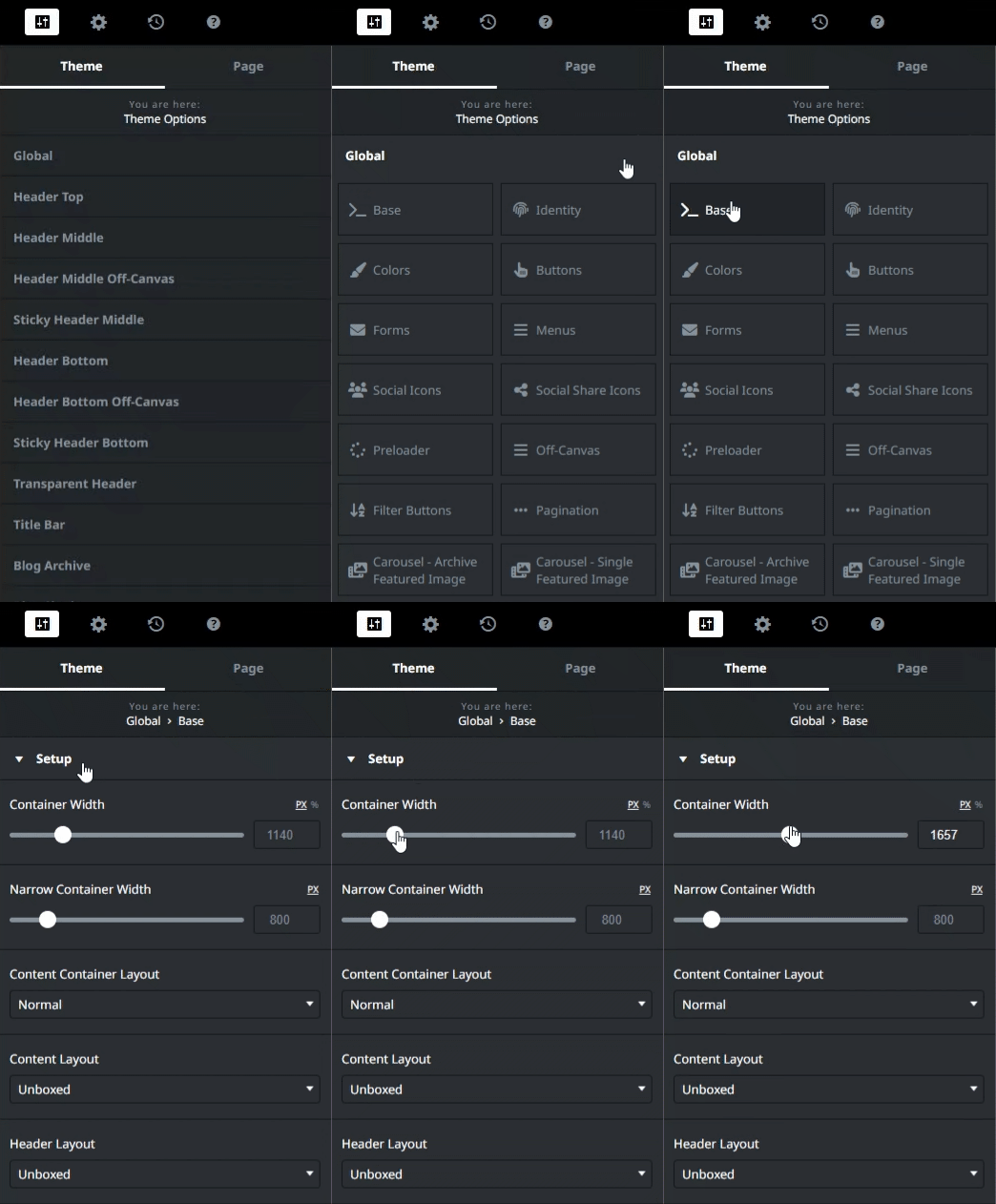
1. Navigate to Theme Options > Global > Base > Setup in Designer.
2. Use the slider to change the value to your desired container width.
1. Navigate to Theme Options > Global > Base > Setup in Designer.
2. Use the slider to change the value to your desired container width.